
AI Skills
Why This Matters
Skills let your organization standardize how Gary approaches specific, repeatable tasks. Instead of relying on each user to write the right prompts every time, a Skill bakes the methodology into the conversation.
Who Can Access This
The AI Skills page is available to Tenant Admins. End users see the effect of Skills when they run conversations — they don't configure Skills themselves. Support Specialists control which Skills are available to each tenant from the Sales Portal.
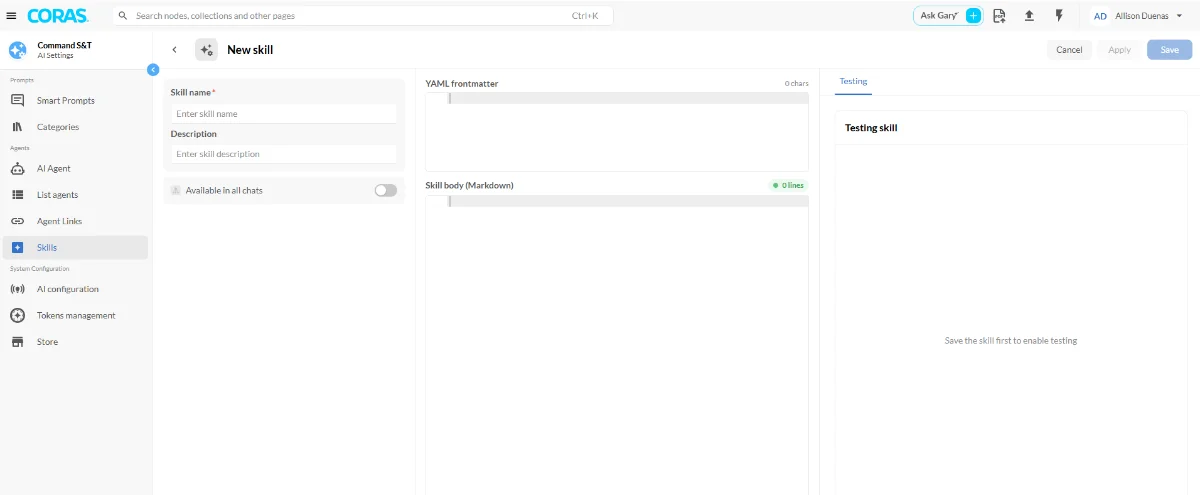
Make a Skill Available in Every Conversation
You can mark a Skill so it is automatically included in every Gary conversation in your tenant — users don't need to select it manually.
1. Go to AI Settings → Skills.
2. Open the skill you want to make global.
3. Toggle Available in all chats on.
Once enabled, the skill is passed to the AI on every conversation without any action from the user. It does not appear in the skill picker — it runs in the background automatically.
To use a skill in a conversation, type / at the start of your message to open the skill picker, or select an agent that has the skill attached. The "Add a skill" option in the composer "+" menu has been removed.
Note: A skill marked "Available in all chats" applies to all conversations in the tenant. Use this for skills that should always be active — your organization's style guide, a classification rule, or a standard operating context. For skills that should only apply to specific agents, attach them to that agent instead.
If you don't see a Skill you need
Skill availability is controlled by your CORAS Support Specialist. Contact your support contact to request a Skill be made available to your tenant.